How In-line Elements Are Formatted Side by Side
How In-line Elements Are Formatted Side by Side? - CSS Tutorials - Understanding Multiple Element Formatting Rules
✍: FYIcenter.com
If in-line elements are coded next to each other, they will be formatted side by side in a line box. Their individual widths and heights will be respected. Their relative vertical positions will be controlled by the vertical-align style property, which takes 8 different values: baseline, sub, super, top, text-top, middle, bottom, text-bottom.
The tutorial exercise below shows you some good examples on align in-line elements in different ways:
<html><head>
<style type="text/css">
  H1 {font-size: 20px}
  DIV.page {width: 450px; border: 1px solid black}
  TABLE#out {background-color: #ffdddd}
  TD#box {border: 1px solid black}
  P#box {width: 300px; height: 150px;
    font-size: 14px;
    background-color: #ffffff}
  SPAN.top {font-size: 12px;
    line-height: 30px;
    background-color: #ffdddd}
  SPAN.middle {font-size: 40px;
    line-height: 50px;
    background-color: #ddffdd}
  SPAN.bottom {font-size: 12px;
    line-height: 20px;
    background-color: #ddddff}
  #top {vertical-align: top}
  #middle {vertical-align: middle}
  #bottom {vertical-align: bottom}
  #textTop {vertical-align: text-top}
  #textBottom {vertical-align: text-bottom}
  #super {vertical-align: super}
  #sub {vertical-align: sub}
  TD.legend#g50 {height: 50px; background-color: #dddddd}
  TD.legend#w50 {height: 50px; background-color: #ffffff}
</style>
</head><body><div class="page">
<H1>In-line Element Alignments</H1>
<table id=out><tr>
<td id=box><p id=box>
<span class=top id=top>Thank</span>
<span class=middle id=middle>you</span>
<span class=bottom id=bottom>for</span>
<span class=middle id=middle>visiting</span>
<span class=top id=top>FYIcenter.</span>
<br/>
<span class=top id=textTop>Thank</span>
<span class=middle id=middle>you</span>
<span class=bottom id=textBottom>for</span>
<span class=middle id=middle>visiting</span>
<span class=top id=textTop>FYIcenter.</span>
<br/>
<span class=top id=supper>Thank</span>
<span class=middle id=middle>you</span>
<span class=bottom id=sub>for</span>
<span class=middle id=middle>visiting</span>
<span class=top id=supper>FYIcenter.</span>
</p></td>
<td valign=top><table cellpadding=0 cellspacing=0>
<tr><td class=legend id=g50>- top/bottom</td></tr>
<tr><td class=legend id=w50>- text-top/bottom</td></tr>
<tr><td class=legend id=g50>- supper/sub</td></tr>
</table></td>
</tr></table>
<p align="right">By FYIcenter.com</p>
<div></body></html>
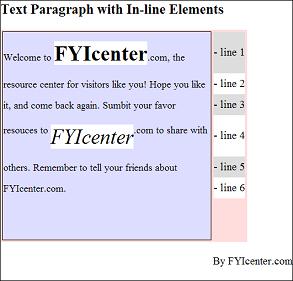
Save this document as verticalAlign.html, and view it with a browser,
you will see how different vertical-align values behave as shown below:

2007-05-11, 5468👍, 0💬
Related Topics: